
Tutoriels techniques
E-invoicing in France: do you need to upgrade Odoo to comply?
Odoo 16, 17, 18 or 19: what your version really supports, interim solutions, and how to prepare an upgrade before September 2027
By ANCELLE Alexandre ·
Contents
Updated on 4 November 2026.
Since Odoo became an approved platform for e-invoicing in France, one question comes up in almost every conversation with our clients: "Is my version compatible?". The answer depends on the version installed, and for some companies an Odoo migration becomes unavoidable to comply. Here is how to find out where you stand, and what to do in your situation.
Which Odoo versions support e-invoicing?
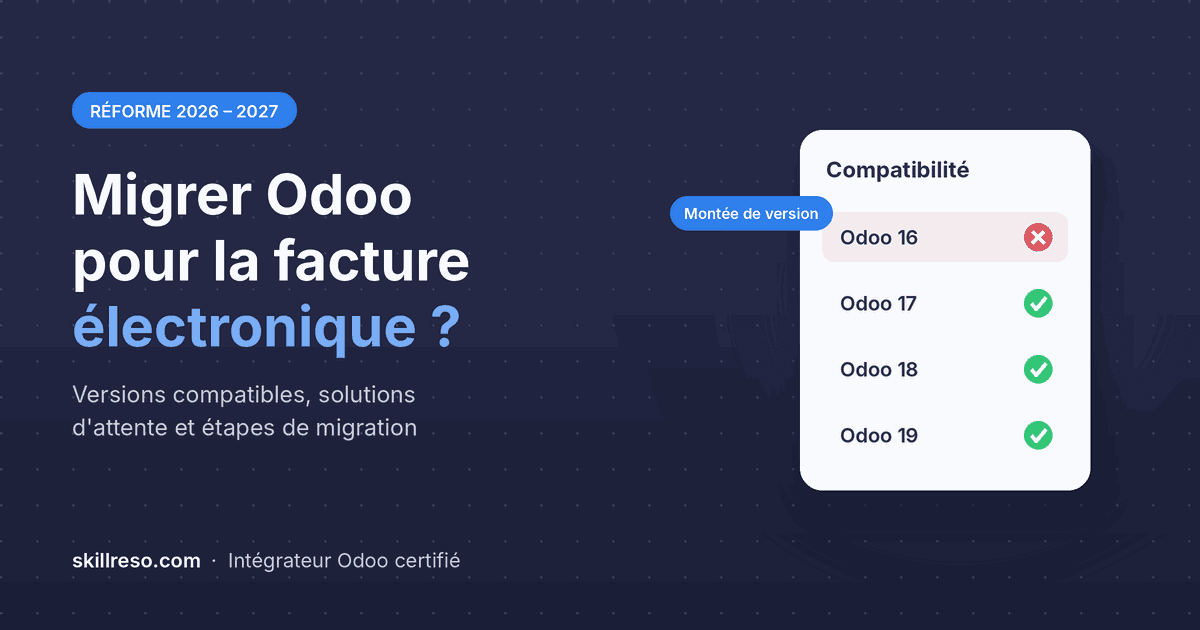
The native approved platform (plateforme agréée) module, "France - E-Invoicing (Approved Platform)", was released in June 2026. It has not been made available on every version:
| Your version | Native e-invoicing | What to do |
|---|---|---|
| Odoo 18 and 19 | Yes, since June 2026 | Activate and configure the module |
| Odoo 17 | Yes, through a backport released at the end of July 2026 | Update the database, then activate the module |
| Odoo 16 and earlier | No | Upgrade, or temporarily use a third-party approved platform |
The module is available in both Community and Enterprise editions. To check your version, look at the bottom of the Settings page: the number is shown there.
An often overlooked point: even on a compatible version, a database that has not been updated for a long time may not include the module. If you host Odoo yourself, you need to update the source code before you can install it.
Is your version compatible? You can go straight to activation, explained in our guide Odoo e-invoicing in France: what changes in 2026-2027.
You are on Odoo 16 or earlier: two options
Option 1: a third-party approved platform in the meantime
The obligation to receive e-invoices has applied to all companies in France since 1 September 2026. If your migration is not done yet, you can appoint another approved platform to receive your invoices, then switch to Odoo once the upgrade is complete.
It is a reasonable interim solution, with two drawbacks: incoming invoices arrive outside Odoo, which means re-keying them or using a connector, and you will have to change platforms later, with the procedure that involves.
Option 2: the version upgrade
This is the long-term solution. On top of native e-invoicing, you gain several years of functional improvements and return to a supported version: Odoo only maintains its last three major versions. A database that is too old no longer receives fixes, including for regulatory changes.
For an SME that will have to issue e-invoices from 1 September 2027, now is the right time: there is enough time left to migrate without rushing, test, then switch on issuing with peace of mind.
How an Odoo migration works
A version upgrade is not just a matter of clicking a button. Data has to be converted to the new model, and everything developed specifically for you has to be adapted. Here are the main steps we follow:
- Database audit. An inventory of installed modules, especially custom modules and those from the App Store, and of customizations made with Studio. This step determines most of the workload.
- Migrated test database. We produce a copy of your database in the new version, without touching production.
- Adapting custom developments. Each custom module is rewritten, or replaced when the new version already covers the need as standard.
- Acceptance testing by your teams. Your users test their real processes: a quotation, a delivery, an invoice, a bank reconciliation.
- Go-live. Final migration of production, ideally over a weekend or at month end, after the accounting period has been locked.
- Activation of e-invoicing and checks on the first invoices sent and received.
Expect several weeks between the audit and go-live in most cases. The factor that affects the duration most is not the number of users but the number of custom developments to rework.
Preparing your database before the migration
The leaner and better documented your database, the faster the migration. A few tasks can start right now:
- Uninstall unused modules. Apps installed "to try out" and never used will still have to be migrated if they stay in place.
- List your custom developments, with the need each one covers. Some have become unnecessary because the new version handles it as standard.
- Inventory your Studio customizations: added fields, modified views, automations. They can be migrated, but must be checked one by one.
- Check your App Store modules: do they exist in the target version? If not, you will need an alternative.
- Close and lock the last accounting period before go-live, so you start from a clean base.
On the data side, the e-invoicing checks (SIREN, taxes, duplicates) apply whatever your version: they are detailed in the checklist in our guide.
Odoo migration and e-invoicing: frequently asked questions
Can we go straight from Odoo 14 or 15 to Odoo 19?
Yes, a migration can skip several versions at once. The complexity mainly comes from custom developments, which have to be reworked for the target version.
My Odoo 17 database is compatible: do I need to do anything?
Make sure it has received the recent updates that include the module, then activate e-invoicing. Also keep in mind that Odoo 17 is the oldest compatible version: it will be the first to drop out of support, and therefore the next one to migrate.
Will the migration interrupt our business?
No, if it is well prepared. All the work is done on a copy of the database, and only the final go-live requires a short interruption, scheduled in advance.
Getting support for your version upgrade
A successful Odoo migration depends as much on technical knowledge as on understanding your processes. At Skillreso, we audit your database, rework your custom developments and handle e-invoicing compliance. When standard Odoo is not enough, we rely on our own Odoo modules, already proven with our clients. We can also take care of hosting your new version.
See also our approach toOdoo implementation. The official list of approved platforms is available on impots.gouv.fr.
Not sure whether your version is affected? Book a meeting with a Skillreso expert : we will look at your database together.
Next article
Comment passer en mode Développeur sur Odoo